New: send rigs from your browser straight into Blender

Any character, rigged and moving.

RigForge places a production skeleton inside your character, gives it Mesh2Motion's professionally painted skin weights and plays 251 ready-made animations. In Blender, or in your browser with one click to Blender.

No install needed to try it: the mannequin on the right was rigged by the same engine Blender uses. The add-on runs in Blender 4.2 or newer.

LiveTry itreal engine output · same rig as Blender
drag to orbit · click, then scroll to zoom
66 bones13,757 trisjoints: not fitted
The live demo needs WebGL. Open the web studio or see the pictures below.

This mannequin has the template skeleton dropped on it: the joints don't line up yet. Press Auto-fit.

Pre-computed by RigForge's web engine on this mannequin. Open in the full studio
9body types: humans to sharks
251animation clips
26sample characters
1.8%median joint error (of height)
1click to Blender
Capabilities

From mesh to moving character.

Six short steps in one window: pick the character, check the joints, skin, animate, export. Open it with Ctrl Shift R in Blender, or in your browser.

Joints

1The skeleton finds its own place.

Auto-fit reads the shape of your mesh and places every joint inside the body, then you check them one by one: press Enter when a dot looks right, drag it when it doesn't.

  • Spine, neck and head stay exactly on the centre line.
  • Hand close-ups from above for every finger joint.
  • Bones always point the right way: knees forward, elbows back.
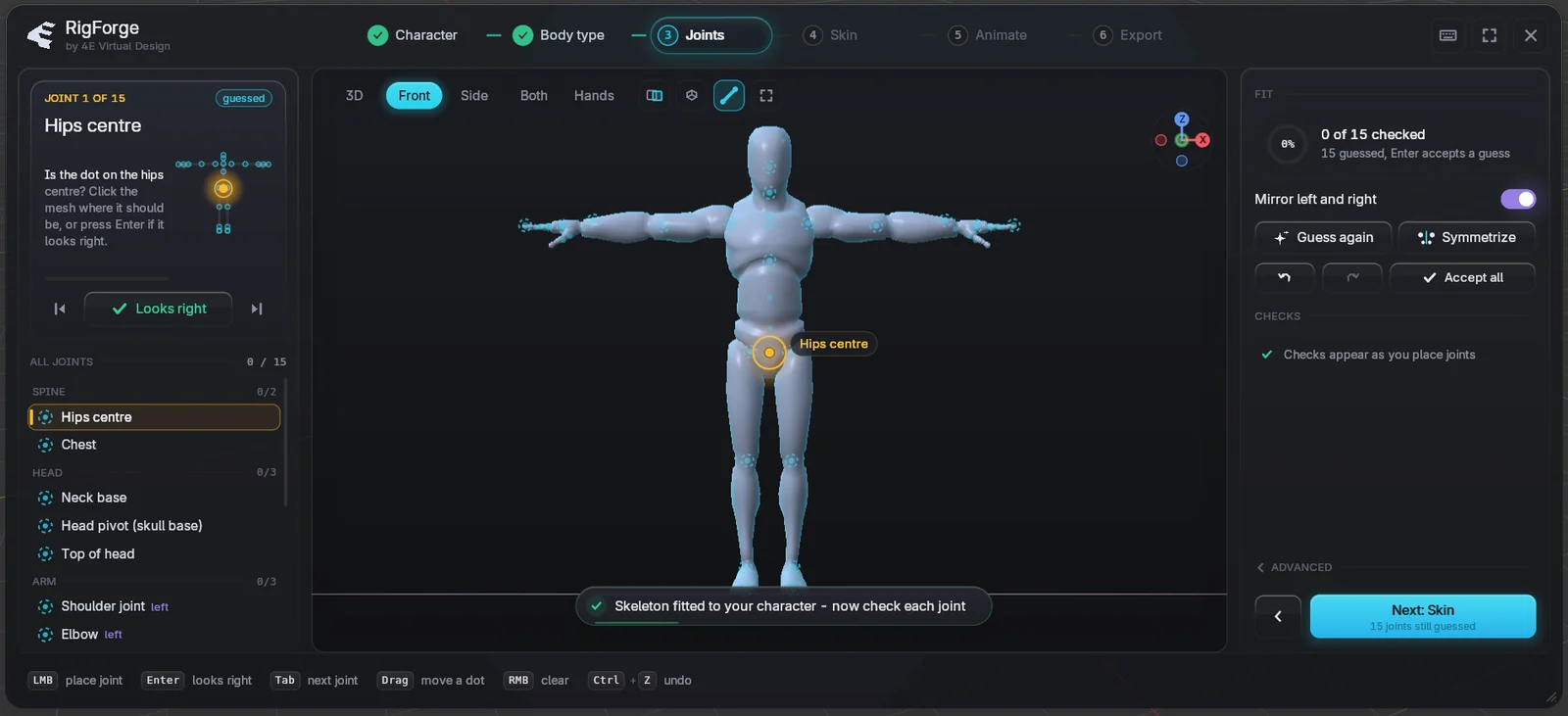
The Joints step in Blender
Auto-fit done: every guess waits for a quick check.
Close-ups

2Fingers you can actually see.

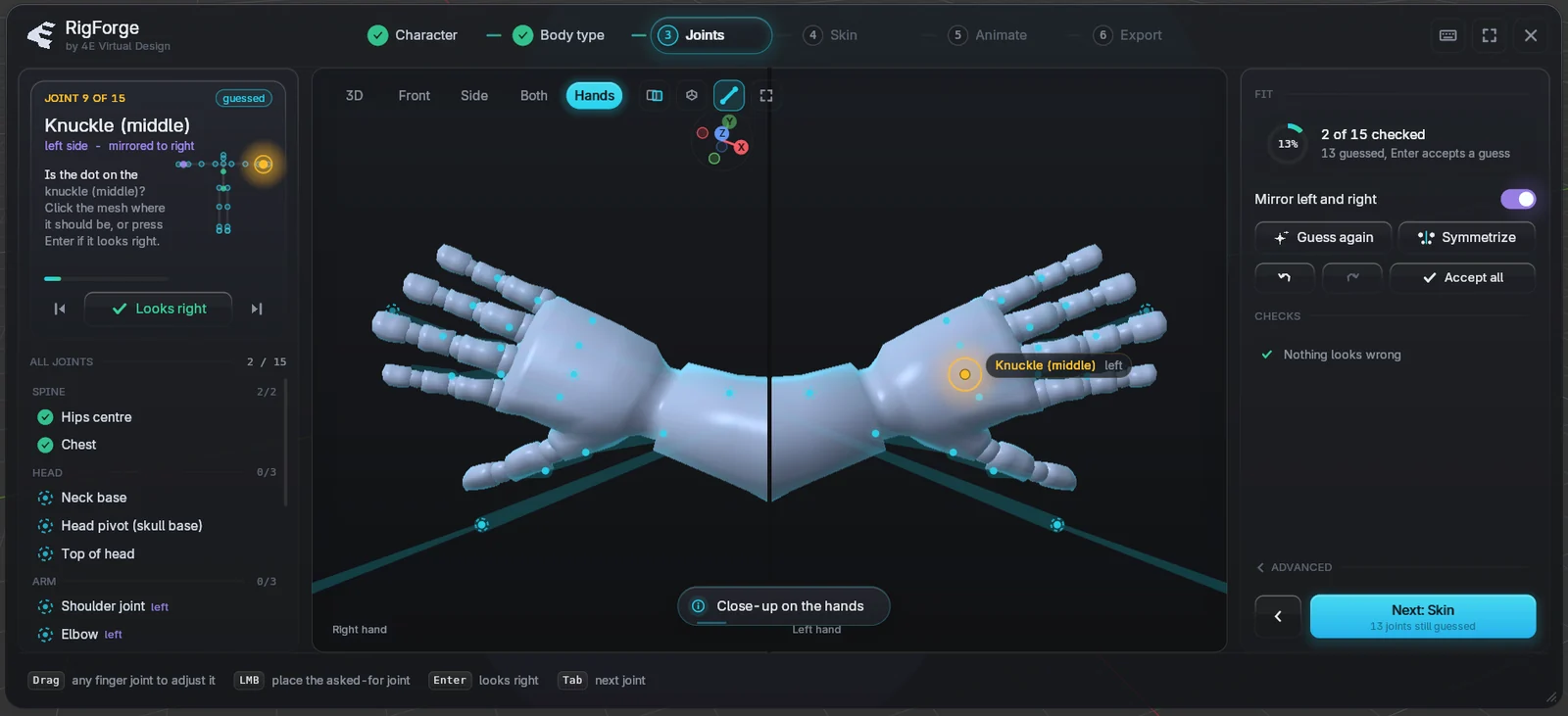
A camera over each hand looks straight down, so you see where every knuckle sits. A finger pass traces each finger in the mesh for you.

  • Both hands side by side, mirrored as you go.
  • Drag any finger joint; the others follow sensibly.
  • Works for mittens and cartoon hands too.
Hand close-ups
Close-ups on both hands, finger joints traced from the mesh.
Skin weights

3Weights painted by professionals.

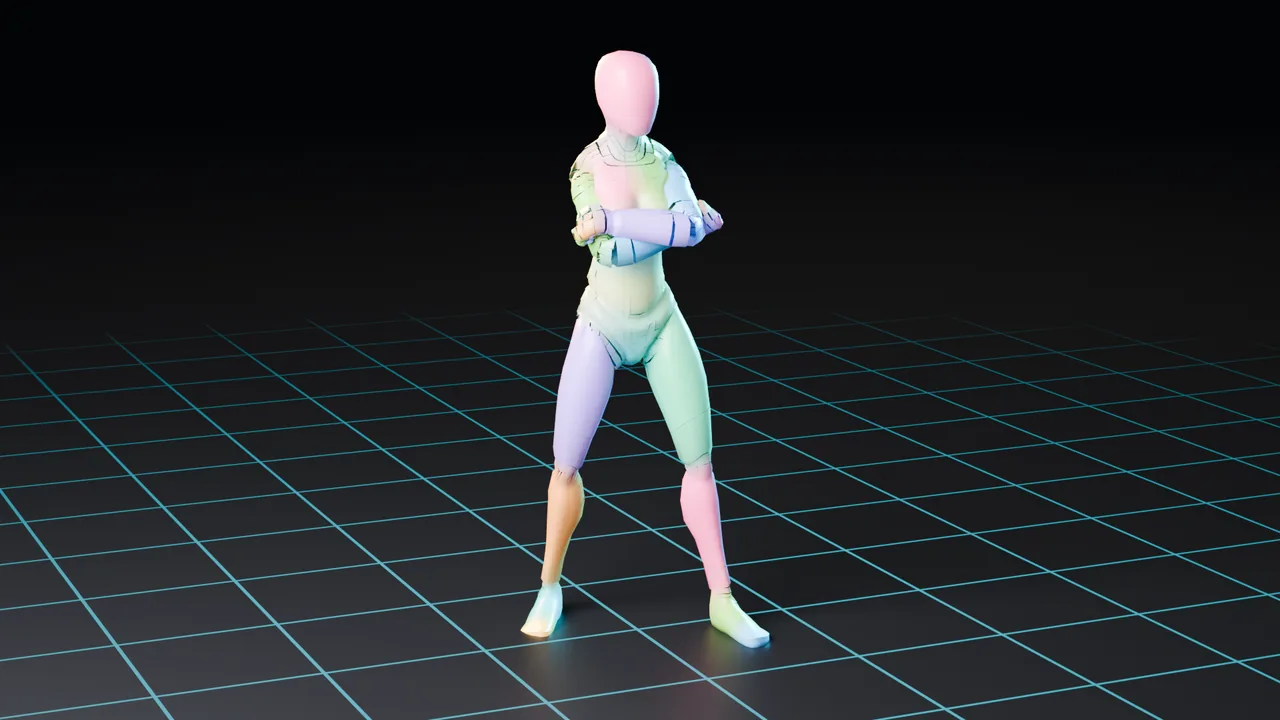
RigForge transfers Mesh2Motion's hand-painted weights from a reference character onto yours. Shoulders, elbows and hips bend the way a rigger would make them bend.

  • 29% fewer wrong-bone vertices than automatic weights.
  • Props and hats get sensible weights of their own.
  • A heat map shows what each bone moves.
Skin weights shown as colours
Every colour is one bone: blends show where weights are shared.
Animate

4251 animations, ready to play.

Walks, runs, combat, emotes and idles for every body type, retargeted to your skeleton as you click. Keep the ones you like as Blender actions.

  • Preview any clip on your character before you keep it.
  • In place or with root motion; arm angle and speed to taste.
  • All Mesh2Motion clips are CC0: use them anywhere.
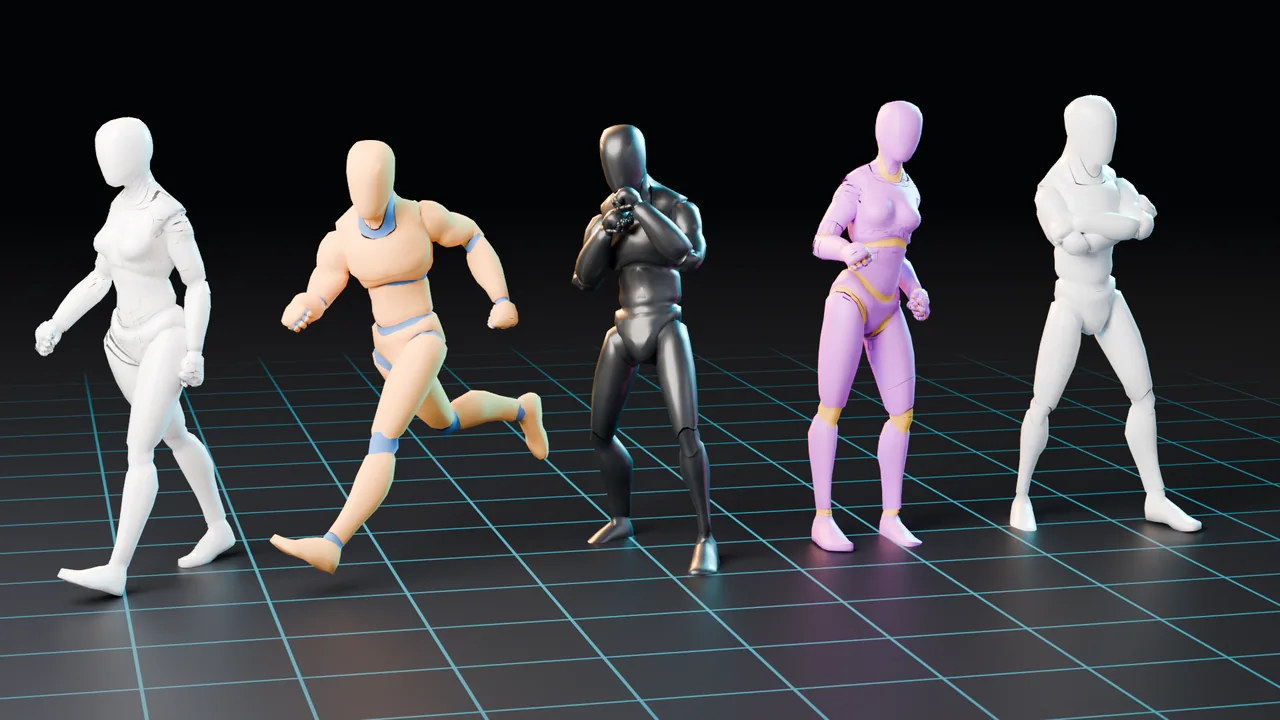
Mannequins in five different clips
One skeleton, five motions.
Export

6Out to any engine.

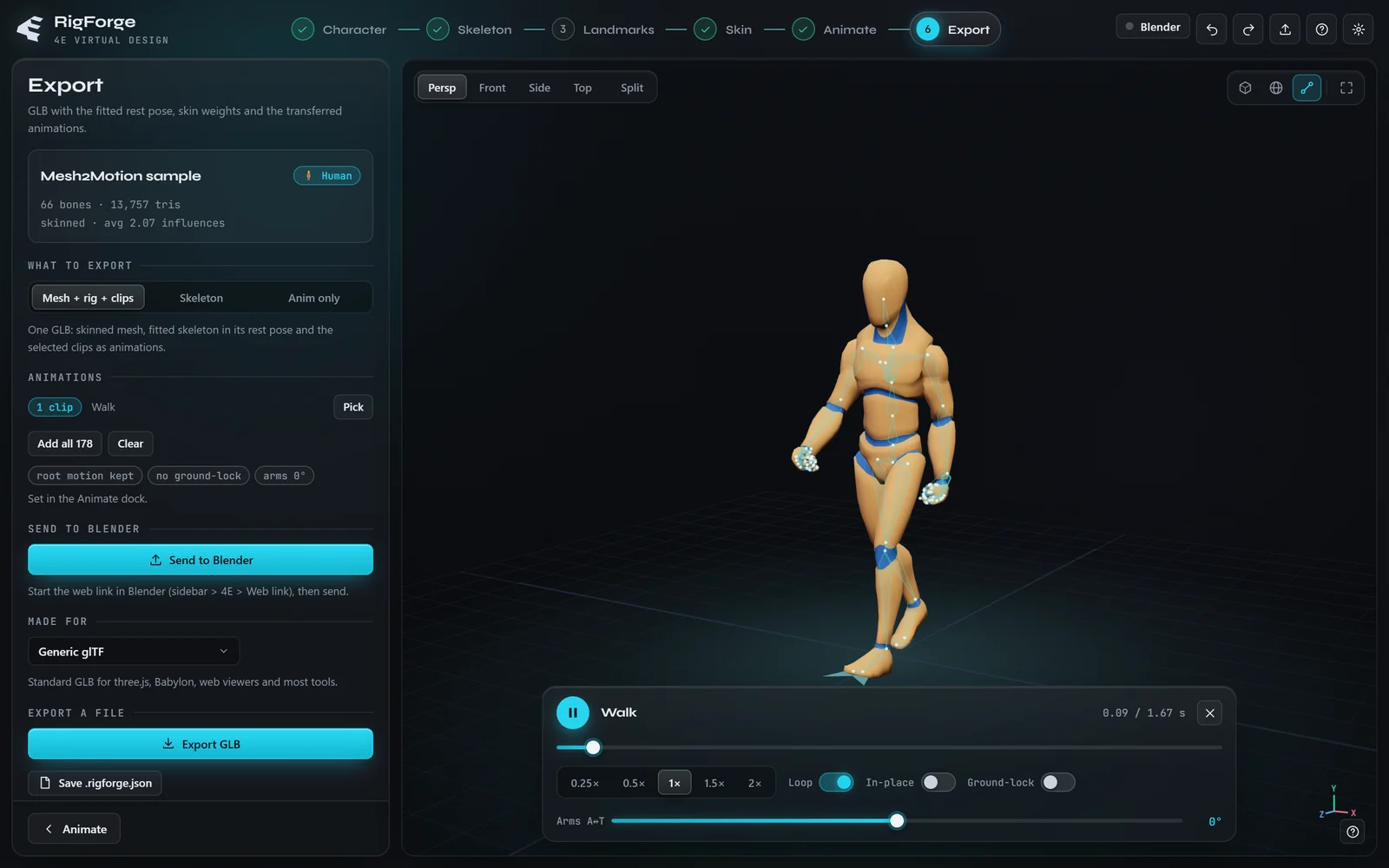
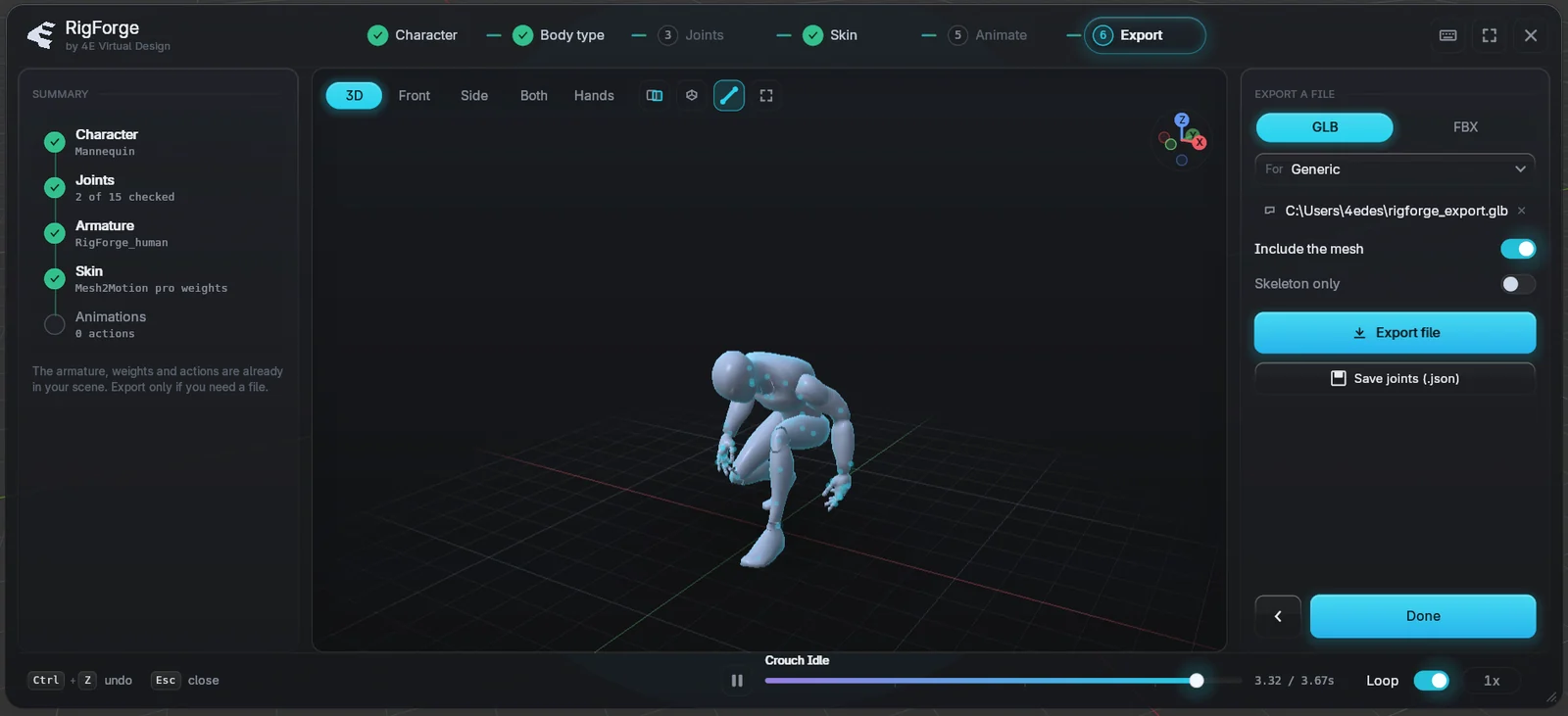
One GLB or FBX with the mesh, the skeleton and every clip, set up for where it's going.

  • Presets for Unity, Unreal, Godot and Blender.
  • Animations baked at 30 fps and a rest pose for avatar setup.
  • Or keep working in Blender: nothing to export.
The Export step
GLB or FBX with engine presets.
How it works

Pick, check, play.

Pick your character

Select your mesh and press Ctrl Shift R, or drop a file into the web studio.

Your first rig

Check the joints

Auto-fit places them. Press Enter on each one that looks right.

Checking joints

Skin and animate

One click for pro weights, then pick clips and press play.

See the results
Get started

Ready in a minute.

In your browser

The web studio

No install needed. Rig, skin, animate and export on any desktop browser.

  1. Open the studio.
  2. Drop your GLB, FBX or OBJ, or pick one of 26 samples.
  3. Send to Blender or export a GLB when you're done.
In Blender

The RigForge add-on v0.1.0

For Blender 4.2 or newer on Windows, macOS and Linux.

  1. Download the add-on.
  2. Drag the .zip onto Blender's window and press OK.
  3. Select your character and press Ctrl Shift R.
Questions

Good to know.

Which characters work?

Humans and humanoids, four-legged animals, birds, dragons, kaiju, spiders, snakes and fish: 9 body types. T-pose works best; A-pose works too, check the arm joints.

Do I need to place every joint myself?

No. Auto-fit places all of them. You only check them: press Enter when a dot looks right, drag it when it doesn't.

Where do the animations come from?

From Mesh2Motion. All 251 clips are CC0: use them in anything, commercial work included.

Does the web studio upload my character?

No. Everything runs in your browser, and the Blender link only talks to Blender on your own computer.

Can I use what I make commercially?

Yes. What you create is yours.

Which Blender versions does it support?

Blender 4.2 or newer (tested on 5.1), on Windows, macOS and Linux.

How do I get help?

Email 4edesigner@gmail.com with your Blender version and what you did.